
Download Simplified Tattoo Generator – AI Tattoo Design Tool, Free & Secure
Overview: AI‑Powered Tattoo Design Made Simple
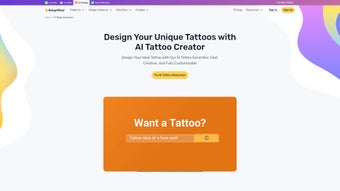
Simplified Tattoo Generator is a web‑based software application that brings sophisticated artificial‑intelligence technology to the world of body art. The platform lets anyone—whether a first‑time client, a hobbyist, or a professional tattoo artist—enter a few basic preferences such as style, size, placement, and thematic keywords, then instantly receives a collection of original tattoo concepts. The AI engine has been trained on thousands of existing designs, allowing it to synthesize fresh artwork that respects the chosen aesthetic while offering unique visual twists.
Because the service runs entirely in the cloud, there is no bulky installation, and the interface works smoothly on desktops, laptops, tablets, and smartphones. Users benefit from a rapid, cost‑effective alternative to traditional studio sketching, freeing up time for color selection, refinement, and final execution. Security is baked into the architecture: all image generation occurs on encrypted servers, and no personal data is retained after a session unless the user creates an optional account to store design history.
This review examines the core features, the straightforward access process, system compatibility, and the practical pros and cons that determine whether Simplified Tattoo Generator is a worthwhile addition to your tattoo‑planning toolkit.
Key Features, Pros & Cons – What Sets This Tool Apart
- AI‑driven design engine: Generates multiple concepts in seconds using deep‑learning models trained on diverse tattoo styles.
- Extensive style library: Includes traditional, tribal, watercolor, geometric, neo‑traditional, black‑work and many niche aesthetics.
- Placement preview: Shows designs on realistic body‑part mock‑ups (arm, back, leg, wrist) for accurate scaling.
- Customizable parameters: Sliders for size, line thickness, color palette, and symbolic elements.
- High‑resolution export: PNG, SVG or PDF at 300 dpi ready for professional use.
- Browser‑based, no download required: Runs on any modern web browser, eliminating installation hurdles.
- Secure cloud processing: HTTPS encryption and automatic data deletion after each session.
- Free tier with optional premium upgrade: Basic designs are free; unlimited revisions, exclusive styles, and priority rendering are available via subscription.
- Mobile‑responsive UI: Fully functional on Android and iOS browsers for on‑the‑go sketching.
- Artist collaboration mode: Share a secure link so studios can add notes and finalize artwork.
Pros
- Instant generation eliminates hours of manual sketching.
- Broad style library satisfies a wide range of artistic preferences.
- Free tier provides generous access for casual users.
- High‑resolution exports remove the need for manual tracing.
- Secure cloud processing protects user privacy.
Cons
- Requires a constant internet connection; offline use is not possible.
- Free version limits daily generation counts.
- AI may produce concepts that need further artistic refinement.
- Advanced shading and intricate details still rely on a human artist.
- Premium subscription adds a recurring cost for power users.
Installation, Usage & FAQ – Getting Started and Solving Common Queries
How to Access the Tool
Because Simplified Tattoo Generator is cloud‑based, there is no traditional installation. Open any modern browser—Chrome, Edge, Firefox, Safari—and go to https://simplifiedtattoogenerator.com. The site detects your operating system and delivers an optimized experience for Windows, macOS, Linux, Android, or iOS. For quicker access, create a desktop shortcut or add the page to your mobile home screen; the shortcut opens the app in a dedicated window, mimicking a native program.
Step‑by‑Step Workflow
- Create a free account (optional): Sign up with an email or use Google/Apple authentication. An account saves your design history for future reference.
- Set your concept parameters: Choose a style, select a body placement, and type descriptive keywords (e.g., “minimalist phoenix,” “Japanese koi”). Adjust sliders for size and line weight.
- Generate designs: Click “Generate.” Within 5‑10 seconds the AI presents 3‑5 distinct concepts with thumbnail previews.
- Refine results: Use “Regenerate” to tweak parameters or “Edit” to modify colors and symmetry manually.
- Export your favorite: Choose PNG, SVG, or PDF and download at 300 dpi. For studio collaboration, click “Share Link” to send a secure URL.
- Provide feedback (optional): Rate the design and leave comments; this data helps improve future AI outputs.
Compatibility
The application runs on any device capable of supporting a modern web browser, including Windows 10+, macOS 10.13+, recent Linux distributions, Android 8+, and iOS 12+. No additional plugins or system resources are required.
Frequently Asked Questions
Is Simplified Tattoo Generator really free?
Yes. The free tier lets you generate up to three designs per day. Premium features such as unlimited revisions, exclusive styles, and priority rendering are available through a low‑cost subscription.
Can I use the generated designs commercially?
Personal tattoo use is fully licensed. For commercial projects—such as selling the artwork or using it in merchandise—you must upgrade to the premium plan, which includes commercial usage rights.
What browsers are supported?
All current browsers are supported, including Google Chrome, Microsoft Edge, Mozilla Firefox, and Apple Safari. Mobile browsers on Android and iOS work equally well.
How secure is my personal data?
All data transmission is encrypted via HTTPS. The platform does not retain personal information after a session ends unless you create an account, in which case your data is stored securely and can be deleted at any time.
Do I need any special hardware to run the generator?
No special hardware is required. Any device capable of running a modern web browser—desktop, laptop, tablet, or smartphone—will work. For the best experience, use a screen resolution of at least 1280 × 720 pixels.
Conclusion – Download Simplified Tattoo Generator and Start Creating Today
Simplified Tattoo Generator delivers a compelling mix of AI sophistication, ease of use, and cross‑platform compatibility. By turning a handful of inputs into high‑resolution tattoo concepts within seconds, it saves both time and money while maintaining a secure, privacy‑first environment. The free tier provides enough functionality for casual users, and the premium upgrade adds powerful tools for professionals who need unlimited revisions and exclusive styles.
While an internet connection is mandatory and certain intricate artistic details still benefit from a human touch, the overall value proposition makes this web app a standout choice for anyone interested in exploring tattoo ideas quickly and safely. Ready to see your next ink design in minutes? Click the link below, start a session, and experience the future of tattoo planning.
Download Simplified Tattoo Generator now and begin creating your personalized tattoo masterpiece instantly.



.png)



